Tagged: macOS

0

How to get free unlimited storage with the cloud Telegram

Cloud services is the convenience and necessity that are demanded in everyday life. You are probably familiar with some of them or use every day. In this article we will explain how to use Telegram as cloud storage.

Cloud storage

Initially, cloud services were created to transfer data without wires. Stable connection and high speed Internet has played an important role in the development and distribution of the “cloud”. As a result, the cloud storage services became available to all …
0

How to remove Apple ID / iCloud from Mac

There are situations when you need to remove your Apple ID from your Mac before selling the computer or you are logged in to your account on another device. We have prepared instructions on how to remove Apple ID from Mac computers.

How to remove Apple ID / iCloud from Mac

Warning

Delete Apple ID / iCloud from a Mac can lead to unforeseen consequences, including loss of data, synchronized contacts and notes, and may adversely affect running apps purchased via the Apple remote ID. Delete the account only if the need arises. …

0

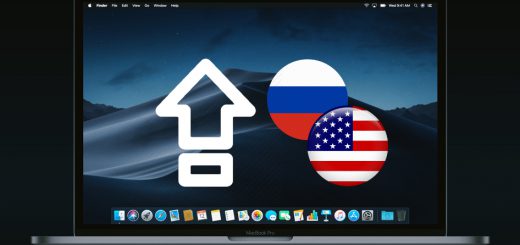
How to change the layout by pressing Caps Lock macOS Mojave

Caps Lock is one of the most useless buttons on the keyboard. As a rule, it just takes place on the keyboard, because it’s not used. But there is one life hack that will turn Caps Lock into a useful button.

How to change the layout by pressing Caps Lock macOS Mojave

For the first time the Caps Lock key has appeared in typewriters. They do not provide the ability to change the formatting of headers, so all names and abbreviations were printed in large letters. Subsequently programs on computers got wide possibilities for text layout, but Caps …

0

How to save selected text in macOS

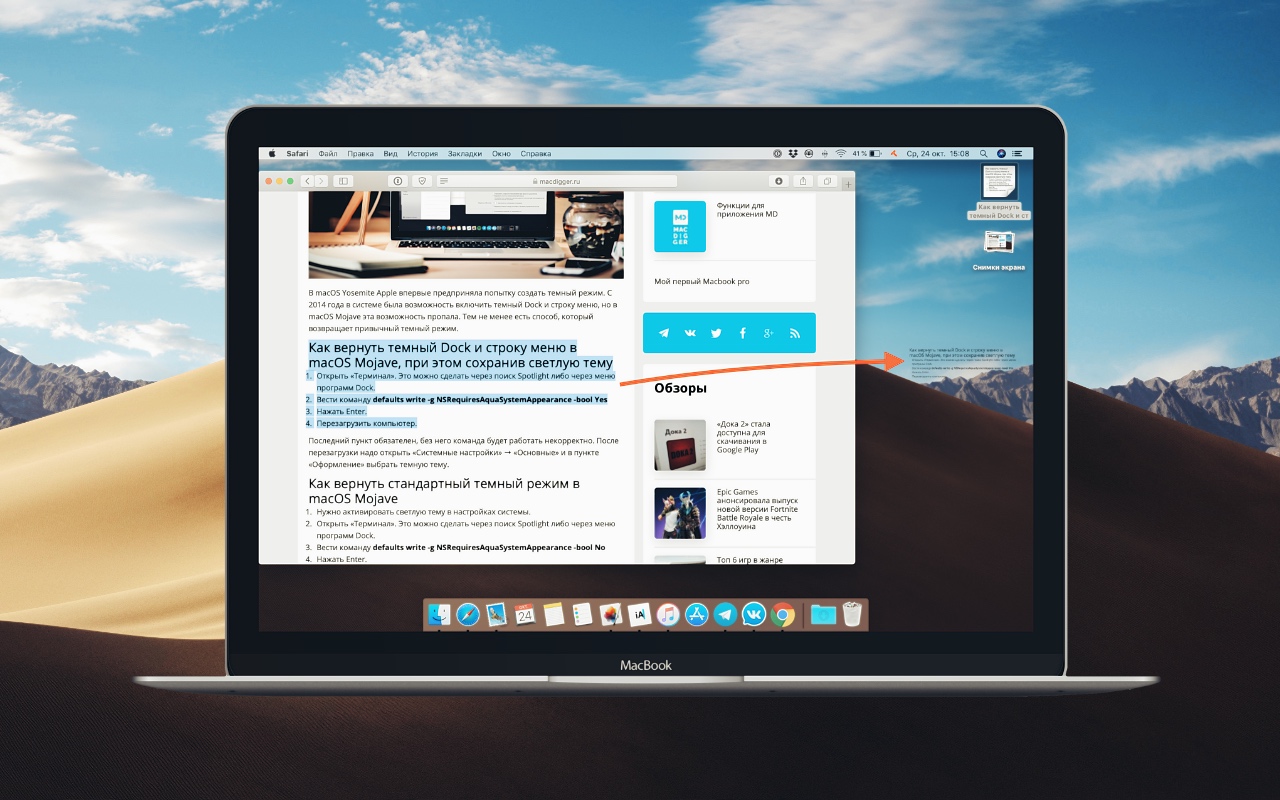
Starting with Mac OS 9, the system has a function of Text Clippings, which allows you to quickly save any selected text. In this tutorial we will explain how it works.

How to save selected text in macOS

Text Clippings works on the principle of Drag&Drop. Just select any piece of text in any app and drag it to the desktop or desired folder. The selected text will turn into a full separate file.

The file will be named according to the first words in the text, but you can rename it. In addition, Text Clippings …

0

Apple registered the 4 computers in the Eurasian database before the October presentation

On the eve of the presentation of the new Apple devices, which will be held on October 30, in the database of the Eurasian economic Commission was discovered applications for new Mac models running macOS 10.14.

Four models are unannounced computers. The laptop model A1932 was seen in the earlier application.

Three new Mac models are probably the new versions of Mac Mini and iMac. It is quite likely, given the fact that many people expect a significant improvement of the Mac Mini, …

0

Apple released the fifth beta of macOS Mojave 10.14.1 for developers

Apple has posted the fifth beta of macOS Mojave 10.14.1 for developers. It happened a week after the release of the fourth beta and a month after the release of macOS Mojave.

MacOS Mojave has changed the updating mechanism of the system. Download profile for updates via Apple Developer Center. To install the beta version, you need to open “System settings” → “software Update”.

The fifth beta version of macOS Mojave 10.14.1 focused on bug fixes and performance improvements. Notable …

0

How to display message in “Mail” on white background in dark mode in macOS Mojave

Dark mode in macOS Mojave looks great in many programs. But it can interfere with a reading-centric applications to work with text — for example, in e-mail. In this tutorial we will explain how to correct this deficiency.

macOS Mojave gives you a choice of two styles: light and dark. In the system, you cannot activate dark mode for specific applications, if we are talking about the standard. But for the “Mail” Apple made an exception.

How to enable white background in Mail when dark …

0

How to change signature in Mail app on iOS

Many iPhone owners use a standard mail client. By default, it uses the signature “Sent from iPhone” but you can change it. In this tutorial we’ll show you how to do it.

Configure “Mail” allow you to change the signature and choose a different signature for each account. This is useful when the email client you are using multiple accounts.

How to change signature in Mail app on iPhone and iPad

  • Open “Settings” → “Mail”.
  • Go to “Signature”.
  • In the input box to write your text
  • 0

    In Google Chrome there was a mode “picture in Picture”

    Google has updated the Chrome browser 70 version, which adds support for the mode “picture in Picture” on macOS, Windows and Linux. Previously this option was in beta.

    The function works the same as in the Safari browser: to compatible player need to do is double-click to display the mode of …


    f