How to use the iPad Pro as a primary monitor with Mac mini
Luna Display is an accessory that turns your iPad Pro into an extra display for your Mac. But the creators of the gadget went on and told how to use the iPad Pro as a primary monitor with Mac mini.
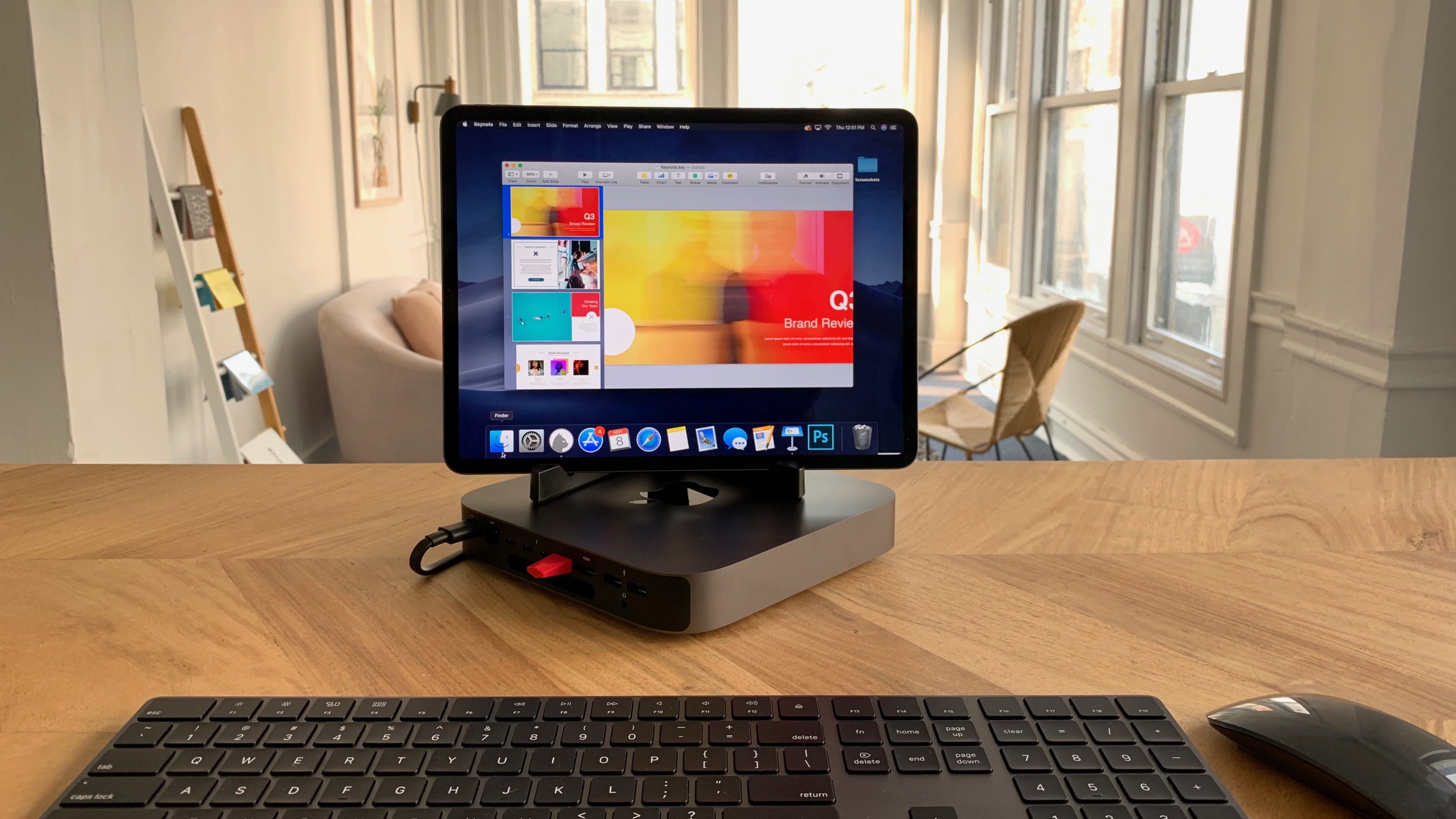 The process of setting up Luna Display with Mac mini does not differ from that with other Mac. As before, the USB-C port it is necessary to insert the Luna Display adapter and download the app on the iPad Pro, which will set up the signal transfer.
Initially, when we launched Luna and worked with the Mac mini, we thought it was a brand new Apple product. It is really so. When you start Luna, appears macOS on the iPad and when you close Luna again appears normal iPad Pro. It’s weird and exciting, but once you start working, you wonder why it did not before.
Luna Display will expand the capabilities of the macOS and allows you to interact with the system using touch screen and Apple Pencil.
He [Luna Display] offers more ways to interact with macOS. You can easily interact with the system via mouse, keyboard and Apple Pencil. And because Luna works over Wi-Fi, you have a fully wireless monitor.
 To repeat such a scenario, you will need a Mac mini, an iPad Pro, the Luna Display adapter for $ 80, keyboard, mouse and stable high-speed Wi-Fi.